After Importer
Just finished my importer UI, a seemingly obvious but quite tedious. But it feels really good to finally able to give shapes to your ever invisible engine structure.
This week I figured I have to make the import cycle to authoring closed for good.
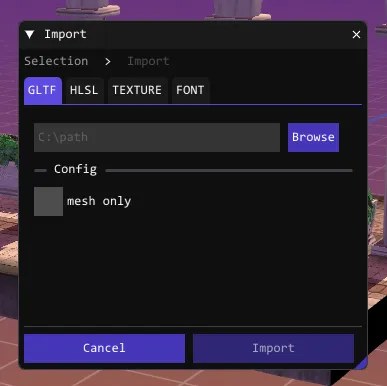
Goal
Focus on what it takes to show something in the scene world. Making the cycle work, from import -> scene
Palette / Asset Browser ?
Palette window is practically impossible here, because Spatials, SceneObjects, etc
have transforms (Jonathan Blow calls this Game Entity, I’m calling it Game Object).
A little panel where you drag the content into the world and somehow provides you with metadata
to pass to CreateSpatial(). However, This is hidden abstraction that gives no value to Montwig except trying to please non-existent crowd.
Then in case of asset browser functionality is something that
file explorer or alternatives like File Pilot can easily replace, so we’re not going to compete there.
I rather frame it as Asset Picker - minimal version that just list assets/* and their sub folders, pretty sure will be useful in inspectors.
lets say I need to add an object to the world. What should i do ?
- ImportGltf using window (resources in)
- File Menu -> Edit -> Create Spatial -> window opened
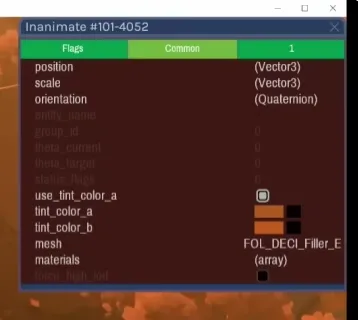
- select mesh dropdown (if got skeleton it will automatically construct the clips from that) Now this is where inspector comes in. I saw Order Of Sinking Star’s Engine inspector and it did show standard transform stuff with some editable color picker, but the part where its refering to resources like material/mesh- are just a text. Although I’m not sure if that can be changed during run-time or It’s something that should be fixed by reimporting the asset.
that said… There is a case where changing materials during runtime like when we need to make water material (plain plane + water material assignment) So let’s keep this feature open.
In conclusion here’s what I’ll do :
- Reframe asset browser as asset picker for resource selection that can be reused in inspector
- Embrace copy-paste / eyedrop tool for entity (gameobjects) either make specific palete.mscn or just randomly pick from other scenes copy to clipboard all the metadata needed (or just uid -> provide duplicate() properties on Object{} class)
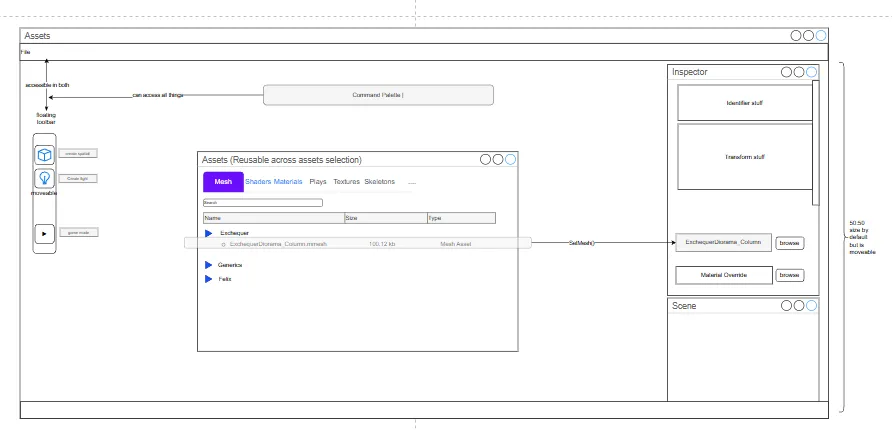
there are quite few things in this wireframe, i’ll cover each in the future
Comments